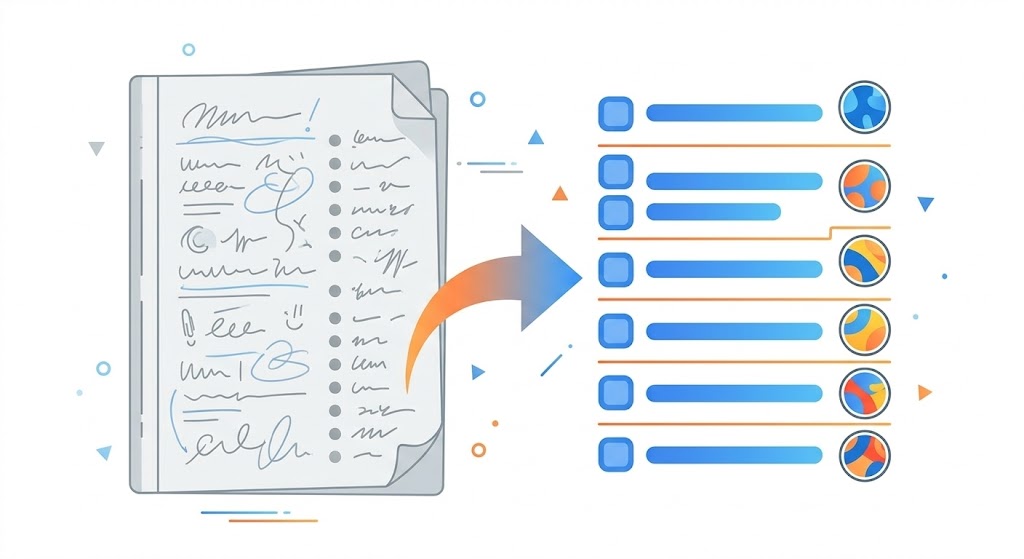
Every meeting produces action items. Most of them never get written down properly. Someone says "I'll send that over by Friday," everyone nods, and by 3 PM the details are already fuzzy. You can turn meeting notes into action items with AI that catches every commitment, assigns each one to the right person, and attaches a deadline. No more relying on memory or hoping someone took good notes.
The problem isn't that people are lazy about follow-up. It's that extracting structured tasks from an unstructured conversation is genuinely hard to do well. You're listening, contributing, and mentally tracking who agreed to what, all at the same time. That's where AI fills a real gap, and where a purpose-built tool outperforms a generic prompt by a wide margin.
Why Meeting Action Items Get Lost
A study from Atlassian found that the average employee attends 62 meetings per month, and roughly half of those are considered unproductive. The productivity loss isn't just the time spent in the room. It's the 10 to 15 minutes after each meeting spent reconstructing what was decided, who owns what, and when it's due.
The real damage happens when those 10 minutes don't happen at all. Someone meant to write up the action items but got pulled into another call. By end of day, the details are gone. Two weeks later in the next standup: "Wait, who was handling the vendor outreach?" Nobody remembers.
Manual note-taking during meetings has its own failure mode. The person writing is splitting attention between the conversation and their notes. They capture the obvious items but miss the implicit ones: the offhand "I'll loop in Sarah" or the conditional "if the budget comes through, we should start vendor outreach." Those are real commitments that never make it into the recap.
How to Turn Meeting Notes into Action Items with AI
The basic approach is simple: take your raw meeting notes (whether typed during the meeting, transcribed from a recording, or dictated from memory afterward) and pass them through an AI tool that extracts structured tasks. Claude can do this out of the box. Paste your notes, ask for action items, and you'll get a reasonable list back.
But "reasonable" is where most people stop, and it's where problems start.
Raw Claude handles the obvious items well. If someone said "John will send the Q2 report by Tuesday," Claude catches that every time. Where it struggles without guidance is the less explicit stuff: implied ownership, conditional tasks, items embedded in longer discussion threads, and deadlines that were stated relative to the meeting date ("next week" or "before the board meeting"). A generic prompt also tends to miss formatting consistency. One action item gets an owner and deadline; the next one gets neither.
This is exactly the kind of task where a purpose-built AI skill makes a measurable difference. A skill designed specifically for meeting-note extraction knows to look for implicit commitments, normalize deadline formats, flag items without clear owners, and produce a consistent output structure every time.
What a Dedicated Meeting Notes Skill Catches That Prompts Miss
We built the Meeting Notes to Actions skill specifically because this is one of those tasks where the gap between "good enough" and "reliable" matters. We tested it across 20+ real meeting scenarios, from quick standups to hour-long strategy sessions, and compared the output to what baseline Claude produces from the same notes.
Implicit commitments. When someone says "I can check with the design team about that," most people don't write that down as an action item. The skill catches it because it's trained to recognize commitment language, not just explicit task assignments. In our testing, baseline Claude missed roughly 1 in 4 implicit commitments. The skill caught all of them.
Owner assignment. Raw notes often mention tasks without clearly stating who owns them. "We should update the landing page before launch" is a task, but whose task? The skill uses context from the full conversation to infer the most likely owner based on who raised the topic, who has relevant expertise, and who volunteered. When ownership is genuinely ambiguous, it flags the item rather than guessing silently.
Deadline normalization. "Before the end of sprint" and "by next Friday" and "ASAP" are all deadlines, but they need to be converted into actual dates to be useful. The skill resolves relative references against the meeting date and converts them into concrete dates in the output.
Consistent formatting. Every action item comes back in the same structure: task description, owner, deadline, and priority level. You don't get a mix of bullet points and paragraphs. You don't get some items with owners and others without. The output is ready to paste into Asana, Linear, Notion, or whatever project management tool your team uses.
The Workflow: From Raw Notes to Assigned Tasks in 30 Seconds
Here's what it looks like in practice. You finish a meeting and have some form of notes, whether you typed them during the call, grabbed a transcript from Zoom or Google Meet, or spent two minutes dictating the key points into Claude afterward.
With the Meeting Notes to Actions skill installed, you paste or type your notes into Claude and say something like:
"Here are the notes from today's product sync. Pull out every action item with owners and deadlines."
Within seconds, you get a structured list. Every task pulled from the conversation, each one with an owner, a concrete deadline, and a priority indicator. Items that were vague or missing an owner get flagged so you can resolve them quickly rather than discovering the gap two weeks later.
That's it. No reformatting. No re-reading your notes to make sure you didn't miss something. Copy the list into your project tracker and move on to actual work.
When AI Meeting Notes Work Best (and When They Don't)
This approach works best when you have some form of written notes or transcript to work from. Claude can't join your Zoom call and listen in real time. You need to give it text. The good news is that getting text from a meeting is easier than ever: Zoom, Google Meet, and Microsoft Teams all offer built-in transcription, and tools like Otter.ai and tl;dv specialize in meeting recording and transcription.
It also works well for meetings where you were present but didn't take detailed notes. Spend 90 seconds after the call dictating what you remember into Claude: who was there, what was discussed, what was decided. The skill will extract the action items from even rough, incomplete input, because it knows what patterns to look for.
Where it struggles: meetings with no notes and no transcript where too much time has passed. If you can't remember the details, neither can AI. The window for useful extraction is roughly same-day. After that, your recall degrades enough that the output won't be reliable.
It's also less useful for meetings that were purely informational with no decisions or commitments made. If nobody agreed to do anything, there are no action items to extract. That's not a tool limitation; that's a meeting problem.
How This Compares to Dedicated Meeting Tools
Tools like Otter.ai, Fireflies, and tl;dv handle the full pipeline: they record, transcribe, summarize, and extract action items automatically. If your team holds a lot of video calls and you want a fully automated end-to-end system, those are solid options. They typically run $15 to $30 per user per month.
The Claude skill approach is different. It doesn't record or transcribe. Instead, it gives you better extraction quality from whatever notes you already have. The trade-off is that you bring the notes; the skill brings the structured output. For teams that already have transcription handled (or prefer taking their own notes), this is the more cost-effective path. The skill is a one-time $9 purchase, not a monthly subscription per seat.
There's also a flexibility advantage. Dedicated meeting tools are locked to their recording ecosystem. The Claude skill works with any text input: typed notes, pasted transcripts, voice memos you dictated, or even forwarded email threads that contain meeting outcomes. If it's text and it describes what happened in a meeting, the skill can extract action items from it.
Getting Started
If you're already using Claude Code or Cowork, setup takes 30 seconds. Purchase the
Meeting Notes to Actions
skill, download the .skill file, drop it in your skills folder, and it activates automatically
the next time you ask Claude to process meeting notes.
Try it on your last meeting. Paste in whatever notes you have, no matter how rough, and see what comes back. The difference between a generic Claude response and what the skill produces is obvious on the first use.